

News
Mobrilz
February 26, 2026
7:30 AM
Imagine you’re walking into a physical store. You push the door, but it’s stuck. You finally get inside, and the lights take ten seconds to flicker on. Then, every time you ask a question, the clerk stares at you for a long pause before answering. Would you stay? Probably not. You’d head straight to the shop next door.
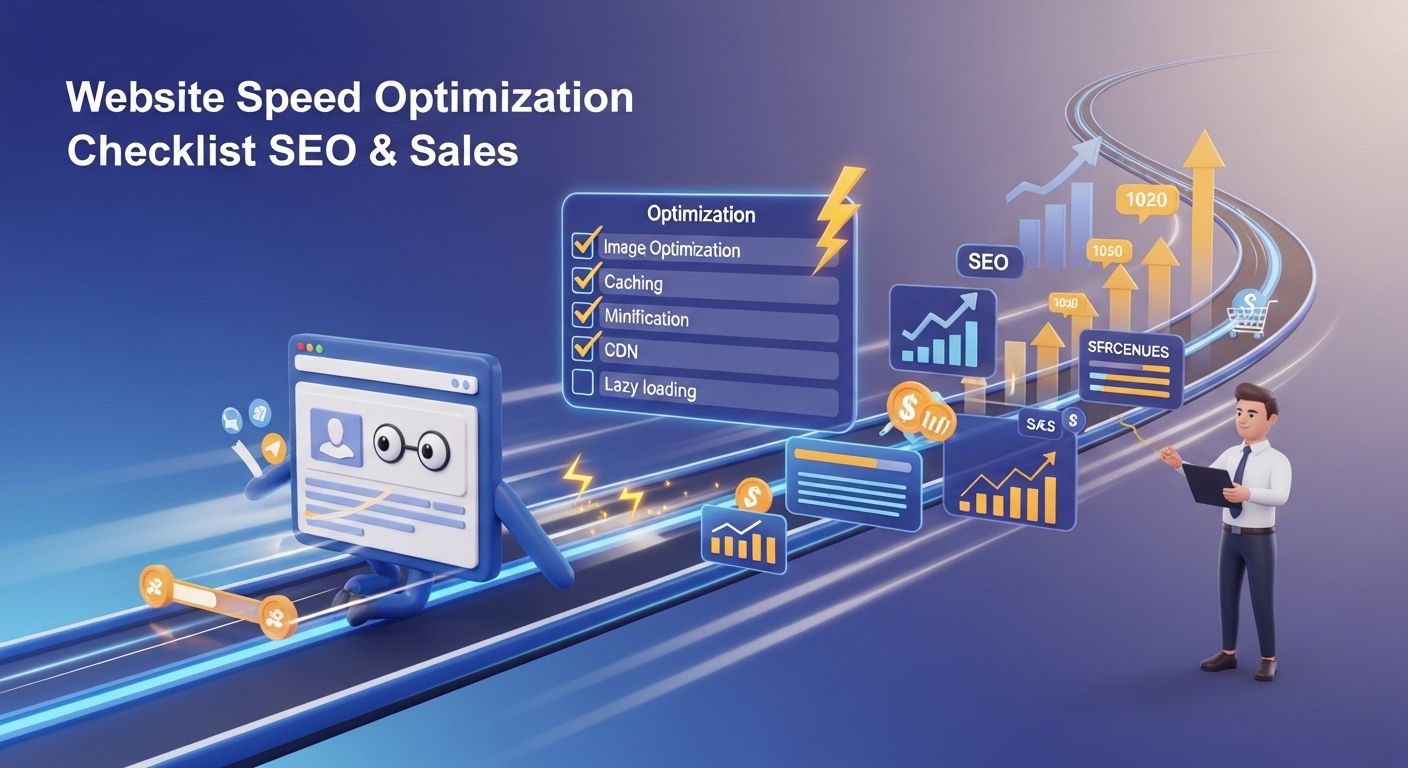
In 2026, your website is that storefront. If your loading time is sluggish, customers don’t just get annoyed—they vanish. Site speed is no longer just a "tech goal"; it’s a non-negotiable part of your business's survival. Whether you are selling handmade jewelry or enterprise software, a fast site is the line between a sale and a bounce.
Before we get to the "how," let’s be real about the "why." In 2026, Google’s bots don't just read your text; they feel your site's friction. They prioritize user experience above almost everything else. If your site is slow, your performance score drops, and even the best SEO services will struggle to keep you on the first page.
Beyond rankings, there’s the human element. Most users expect a site to load in under two seconds. Anything longer, and you start losing money. A fast site builds instant trust; a slow one just feels outdated and buggy.
Images are usually the heaviest part of a webpage. If you’re uploading high-res photos straight from your iPhone or a professional camera, you’re asking users to download a massive file just to see a small thumbnail. It's a conversion killer.
The Fix: Use image optimization tools to shrink file sizes without losing quality. Switch to modern formats like WebP or AVIF.
Why it matters: It slashes your loading time and makes the page feel light.
In 2026, mobile traffic is the king. If your site looks great on a MacBook but breaks on an Android, you’re losing half your audience.
The Fix: Ensure your web design team is using a "mobile-first" approach. This means your responsive design isn't just an afterthought—it’s the foundation.
Why it matters: A mobile friendly site is a requirement for modern search rankings.
Think of Javascript as the "moving parts" of your site—the pop-ups, sliders, and maps. While they look cool, too many of them can clog the pipes.
The Fix: Talk to your Web Development team about Javascript optimization. This involves "minifying" code (removing the junk) and delaying scripts so they don't block the page from loading.
Why it matters: It prevents the page from "freezing" while the phone tries to process complex code.
Your server is the kitchen of your digital restaurant. If the kitchen is slow to start, it doesn't matter how fast the waiter is.
The Fix: Invest in high-quality hosting. If your server response time is consistently over 200ms, you’re on a bad server. Use a Content Delivery Network (CDN) to store copies of your site closer to your global users.
Why it matters: It’s the baseline of your entire site’s speed.
Websites collect "trash" over time—old plugins you don't use or tracking pixels from ad campaigns that ended three years ago.
The Fix: Periodically ask your Web Development partner to do a "performance audit."
Why it matters: Leaner code means faster processing for the browser.
You don't need to be a coder to start. Try these three moves:
Run a Real Test: Go to Google PageSpeed Insights and check your performance score. Look at the "Core Web Vitals" section—that's what Google actually cares about.
Delete One Plugin: Go into your dashboard. If you see a plugin you haven't used in six months, delete it. Every active plugin adds a tiny bit of weight.
Check Your Hosting: If you’re still on a $5-a-month shared hosting plan from 2018, that’s your bottleneck. Moving to an SSD-based cloud host can cut your speed in half instantly.
While you can shrink an image, things like deep Javascript optimization or server-side fixes require a pro. Good SEO services focus on the technical health of your site, not just keywords.
When you hire a team, ask, "Is our current web design optimized for the 2026 Core Web Vitals?" If they don't know what that means, keep looking.
In 2026, a site that loads instantly tells the customer, "We value your time." A site that hangs says, "We aren't quite ready for you."
Don't look at this checklist as just another technical chore. Look at it as a way to stop leaking money. If your site is fast, people stay; if it's slow, they leave. It really is that simple. Whether you handle the easy stuff yourself or hand off the Web Development to a specialized team, just make sure you aren't the business making people wait in 2026. The competition is only a click away.
News
Blog
Blog

Blog
Visit Us
E-160, 3rd Floor, Sector 63 Noida, U.P. 201301, India
Monday - Friday: 9:00 AM - 6:00 PM (IST)
Please schedule an appointment before visiting
Services
© 2026 Mobrilz. All rights reserved.
Made with❤️in India